AI reputation is a corporate affairs risk. It’s time to fund it like one
Why corporate affairs leaders should budget for AI reputation: GEO is not just SEO· Post
Save draftPublish
Four recent events have got me thinking more about how important it is for corporate communications and corporate affairs leaders to take AI reputation seriously.
The first was a conversation with the CCO of a large multi-national company. They wanted advice on specific questions around investor relations related content on the company’s website. The problem was the conversation started in the wrong place.
They were looking at it as the CMO had commissioned its digital agency to do a global GEO audit and it had flagged some issues. The problem was it wasn’t a fantastic audit. It didn’t follow the AMEC GEO Principles, and its focus was almost entirely sales related.
That’s why the CCO was asking me the wrong questions. They didn’t have the information they need to help them make the right decisions to create an AI reputation strategy to protect the company from the reputational risk of AI answers or to improve its reputation in AI answers.
Unfortunately, it was already too late. The budget was spent, unwisely.
Budgeting for GEO/AEO in 2027
The second two events were related. One was a guide to how to build a business case for GEO by Darryl Sparey, managing director of Hard Numbers and the other an article by Rise at Seven’s CEO Carrie Rose about how she would allocate a CMO’s budget, starting with 8–10% of marketing spend.
Carrie’s article is excellent… if you’re only interested in sales and marketing. It takes a very traditional SEO-centric approach. She sets out a coherent case for why GEO needs to be 8-10% of marketing spend. It doesn’t address any of the reputational risk and governance issues raised by the rapidly growing importance of AI questions and answers.
Regulators, investors, journalists, employees and other stakeholders are now forming their first opinions about organisations from their initial questions to AI chatbots. Unfortunately, most GEO spending is about visibility designed to sell products. Corporate affairs needs to invest in accuracy, evidence and influence.
Most GEO spend relates to different versions of the same question: how do we get recommended to more customers? That matters but it is also only part of the problem.
The bigger question for leaders in the C-suite is different. What does AI say about us when it matters to the people who matter? When a regulator asks about your emissions record, an investor asks about your strategy or a journalist asks about your last crisis, the answer is no longer a list of links. It is a confident, synthesised account that AI has created, and it may be the only one they read.
GEO is corporate comms, not just SEO
That makes AI reputation a corporate affairs risk, not just a search problem.
Both Hard Numbers and Rise at Seven rightly warn against turning citation share directly into a budget split. They both advise audit first, then invest.
The challenge is that not all audits are equal. Without an experienced expert steer from the client an SEO/marketing first GEO audit will only present a partial picture.
In contrast a corporate communications led approach to a GEO audit should be 360 degrees. It should include the sales and marketing insight from customers and prospects that’s needed, along with the same level of understanding for every other stakeholder group including investors, politicians and activists.
Fund a GEO test, not a formula
Rise at Seven deserves credit for putting numbers on the table. But a percentage of the marketing budget is a starting point for debate, not a defensible argument.
Some of the numbers appear arbitrary. Why those percentages and why a 3x return? Two organisations with identical turnover can face completely different exposures to risk.
Hard Numbers’ approach is more defensible: a bounded pilot, a clear baseline, a fixed review date and honest modelling based on gross profit rather than vanity metrics. Corporate affairs should take that discipline and widen what counts as value. Avoided risk, regulatory outcomes, investor confidence and licence to operate are harder to model. They are not less real.
Measure accuracy, not just visibility
A high visibility score is meaningless, and potentially dangerous, if the answer is wrong. No board would accept a media strategy that counted coverage without reading it. It shouldn’t accept a GEO strategy that does the same.
AI measurement must therefore cover accuracy, omissions, message inclusion, source quality and differences between platforms. It also needs scale.
UK government tackles trust in AI answers
The fourth event is the latest evidence that proves GEO has moved beyond hype to become one of the most critical elements of corporate affairs is the UK Government Communication Service (GCS) has recognised its importance and published GCS PRIME, its own GEO best practice guide.
The Office for National Statistics shows why this matters. Its own audit found the ONS website was cited in 97% of relevant AI answers, yet only 21% of those answers were fully accurate. Being cited is not the same as being understood. The risk is not limited to reputation. HMRC has warned that some AI summaries wrongly tell businesses they can submit and pay VAT after the deadline when it falls on a weekend or bank holiday. They cannot, so businesses face real consequences of penalties and interest because AI got it wrong.
What corporate affairs leaders should do about GEO
Three actions for the next 90 days:
Map the questions that matter. Start with stakeholders, not keywords. What do regulators, investors, employees and journalists ask about you and your issues?
Audit the answers and their sources. Test repeatedly across the platforms your stakeholders use. Check accuracy, omissions and which sources are shaping the story.
Assign ownership. Make one accountable lead responsible for AI reputation, with SEO, digital, legal and the business contributing.
GEO for products is a marketing investment. Managing how AI explains your organisation, your people and your issues is a governance responsibility. Corporate affairs should lead it and fund it accordingly.
Purposeful Relations’ AI Stakeholder Compass® shows organisations what AI tells the people who shape their licence to operate, and what to do about it.
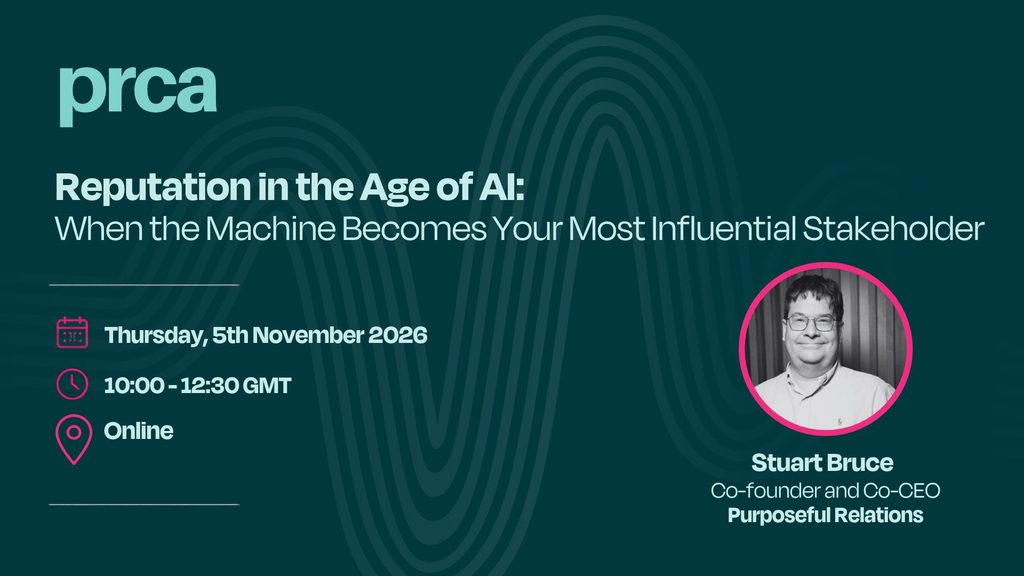
Co-founder of Purposeful Relations Stuart Bruce spoke at a PRCA South West session, discussing AI as a reputational stakeholder in its own right. The session also explored how LLMs form their view of an organisation, why earned media and credible third-party voices shape what AI says about you, the reputational risks when AI gets it wrong, and how you can monitor, measure, and influence your organisation’s standing in AI-generated answers.
Reputation has always been a huge factor in what others say about you – through multiple channels such as journalists, customers, employees, and investors. Now, a new powerful voice has emerged, and it speaks to your audiences every day.
Today, potential consumers will ask AI to help them, and what it says about whether a company can be trusted and how it compares with competitors will become their first impression and a reputation verdict rolled into one, forming the consumer’s opinion with the organisation concerned often being unaware of what is said.
The PRCA summarised Stuart’s presentation in a LinkedIn post.
“Stuart… explained that simply measuring how often an organisation appears in AI answers doesn’t tell us whether those appearances are accurate, useful or reputationally positive.
There’s also a fundamental measurement challenge, as PRs don’t have access to the underlying prompt data from AI companies in the same way that we have datasets for areas such as search, social listening or media monitoring.
Our conclusion? AI measurement should be considered directional, rather than absolute truth.
Stuart’s advice was not to rely on the output of a single GEO measurement tool as definitive. Using multiple tools alongside expert human analysis can provide a stronger basis for decision-making.
For communications professionals, the principle is familiar: don’t measure something simply because it’s easy to put on a dashboard. Measure what actually matters.”
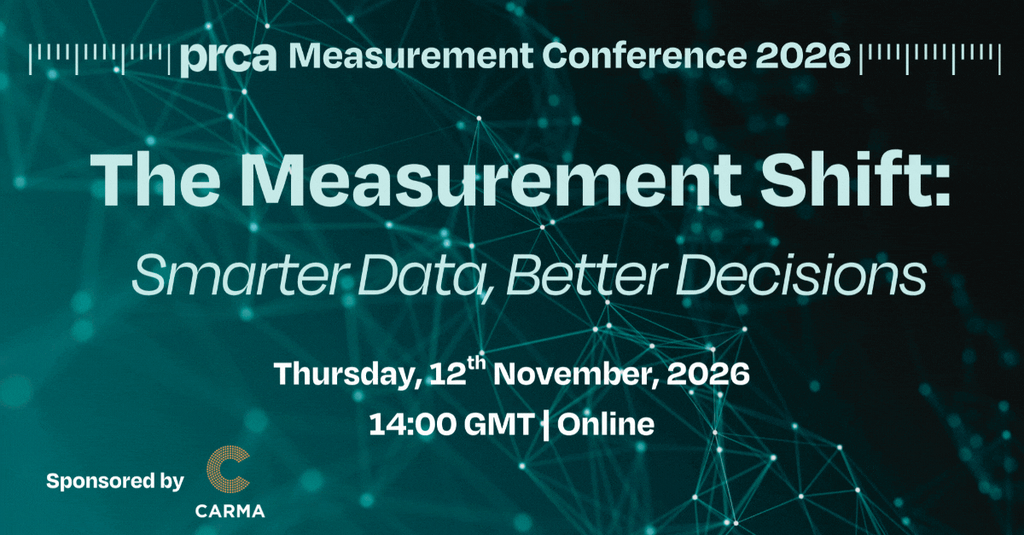
Purposeful Relations CEO Stuart Bruce will be one of the speakers at the 2026 PRCA Measurement Conference on Thursday 12 November.
This year, the conference will explore how measurement is moving beyond retrospective reporting to supporting planning, prediction, and decision-making.
Through practical case studies, industry discussion, and expert presentations attendees will be able to examine how to assess the quality of communications data, understanding emerging forms of AI-driven influence, establish meaningful measures and translate evidence into strategic and behavioural value.
Stuart Bruce will appear alongside Allison Spray, EMEA Chief Data & Intelligence Officer, Burson; Jonny Bentwood, Chief Data & Analytics Officer, Golin Ketchum; Anna Wilson, Chief Innovation Officer, Tangerine; and Sanjiv Winayak, Senior Client Director & Head of AI, Milk & Honey. They will discuss Visibility to influence – Measuring PR in the AI Discovery Era.
Led by the PRCA Innovation Working Group, this panel will explore how approaches to GEO and AI visibility measurement are developing, which measures provide useful insight where greater consistency and shared standards are still needed.
Microsoft has announced a wave of improvements to Copilot that have just rolled out or are rolling out in the next few weeks.
While AI evangelists debate which AI model or tool is the most powerful, the reality for most PR, communications and corporate affairs teams is that they will be using Microsoft Copilot. This isn’t a disadvantage, it’s an advantage as Copilot is already in where you are working in Outlook, Teams, Word, PowerPoint, Excel and SharePoint.
When the tool improves as quickly as Copilot, the risk isn’t missing a clever feature. The risk is your team loses confidence or sticks to old habits. Some of the improvements mean there are also budget decisions to make to risk running up costs nobody signed off.
Microsoft announced the new Copilot experience in late September, with Home (Chat and Copilot), Code and Autopilot. Since then, the features have been arriving in customer tenants a few at a time.
What are the changes to Microsoft Copilot?
Chat, Cowork, Code and Autopilot
Copilot now consists of four distinct elements. Chat, Cowork, Code and Autopilot.
Copilot Chat
Chat is the Copilot that most people use and are familiar with. It’s the Chat interface you see in the desktop and mobile apps, on the web and in apps such as Word, PowerPoint and Teams. It’s where you use standard prompts and simple agents. The full version (premium) needs an extra Copilot subscription which unlocks more powerful features and crucially enables it to use your emails, Teams messages and SharePoint files. This in-depth context makes it far more useful and powerful than standalone AI apps like ChatGPT or Claude because outputs are far more relevant to what you do and need.
Copilot Cowork
Cowork is for work you delegate rather than work you do with Copilot. Instead of a back-and-forth conversation, you define the task and Cowork runs it from start to finish and hands back a completed result, such as a launch kit, a stakeholder briefing or a report built from a dozen source documents. It became generally available in June and sits alongside Chat in the new Home view. The catch is cost. Cowork needs a Microsoft 365 Copilot licence for each user and then charges for every task in Copilot Credits. The number of credits depends on the AI model used, how much of your data it pulls in, the actions it takes and how long it runs. It’s switched off by default, so an admin has to turn it on and set spending limits first. One of the biggest challenges is for individuals to know when it is appropriate to switch from Chat to Cowork, as the risk is they want to use the more powerful Cowork when there is no need so waste unnecessary money on credits.
Copilot Code
Code lets anyone build small, purpose-built tools by describing them in plain language. You don’t need to know how to code. Ask for a dashboard, tracker, internal app or automation and Copilot builds it, shows you a live preview and refines it as you give feedback. With your permission, it can use your emails, documents, meetings and calendar as context. Finished apps can be published and shared with colleagues, and they run inside your organisation’s own Microsoft 365 environment, using your existing sign-in and IT controls. For a comms team, that could mean a coverage tracker, a media request form or a campaign dashboard without waiting for IT. Code is currently rolling out to Microsoft’s Frontier early-access programme. Like Cowork, it needs a Copilot licence and uses Copilot Credits. At Purposeful Relations we’re a Frontier user so already have access. When it rolls out to you we’ll have ideas, knowledge and experience we can share with you to help you get the most out of it.
Copilot Autopilot
Autopilot is the most ambitious of the four. Microsoft describes it as a persistent, proactive and personal agent that keeps working even when you’re not. Rather than waiting for a new prompt at each step, it has its own identity and memory and can keep a longer-running goal moving across emails, meetings, Teams threads and recurring tasks. Think of it as a digital teammate that chases follow-ups and keeps a project on track over several days. Autopilot is still in preview for now, so most teams won’t see it for a while. But it’s worth thinking now about what you would trust an agent to do on your behalf, particularly when it involves journalists, stakeholders or anything that goes out in your organisation’s name.
Implications for corporate communications and governance
The more advanced the AI tools become the more important it becomes to have robust governance in place with policies, training and monitoring. It means an AI chatbot could effectively become an ‘employee’ or spokesperson and its actions can impact operationally and reputationally.
Plugins replace Agents, Connectors and Skills.
Microsoft has substantially changed the navigation in Copilot which means some features suddenly appear to have disappeared, when in reality they have just been moved or renamed.
In the Copilot app, the Agents menu is now called Plugins which is where you’ll now find agents, connectors and skills. You can also type / to call an agent or @ to call a skill without leaving your prompt. This is handy for running a house-style or tone-of-voice agent while drafting.
Agents
You can build your own simple agents within Copilot, or more powerful ones in Copilot Studio. Microsoft also provides lots of pre-built agents such as Plan My Day, Prompt Coach, Researcher and Analyst. There are also lots of agents for third-party software such as Adobe, Canva, LinkedIn and more. There are also specialist agents for comms and public affairs such as Meltwater and Polivada. Both of these require subscriptions to the appropriate tool.
Skills
Skills are the newest addition and potentially the most useful for communicators. A skill is a reusable set of instructions, with optional supporting files, that teaches Copilot how to do a specific job the same way every time. Think of it as a saved method rather than a saved answer. Copilot automatically uses a skill when your request is relevant to it or you can choose one yourself.
You can create, edit, upload and share your own skills, use skills your admin has deployed, or add public skills published by software companies. Skills created in Copilot Chat also work in Cowork.
For comms teams, this is the obvious home for your house style, tone of voice, news release format or briefing template, so everyone gets consistent output without pasting the same instructions into every prompt.
Connectors
Connectors let Copilot see information that lives outside Microsoft 365, such as your CRM, wiki, knowledge base or design tools. There are more than 100 to choose from, including Canva, HubSpot, Notion, Salesforce and Google Calendar. Some copy and index the external content so Copilot can search it alongside your emails and files. Others fetch live data at the moment you ask, without the data ever leaving the source system. Either way, Copilot respects the original permissions, so you only see what you’re already allowed to see, and it cites its sources so you can check the answer. Your admin decides which connectors are switched on, so if you can’t find one you need, ask IT. For comms teams, this means you could ask Copilot to pull top-performing campaign designs from Canva or check stakeholder records in your CRM without leaving your prompt.
Multiple AI models
Copilot now provides you with more choice as to which AI model to use. Confusingly this varies depending on where you are or what you are doing. In the Copilot app or on the web you can choose from Auto, Quick response, Think deeper and Microsoft will choose the most appropriate AI model. But you can also choose your own from Anthropic’s Claude Sonnet 5, Sonnet 5.5 and Opus 5.5, or OpenAI’s GPT-5.6 Sol Quick response, GPT-6, GPT-5.6 Sol Think deeper or GPT-6.1 Sol.
In Word you can also choose Claude Fable 5 “for your toughest challenges”, but unlike the other models you must pay for it with Copilot usage credits. In PowerPoint you can now select the AI model you use for image generation.
Switch AI model
In Copilot Chat on the web, you can use Try Again and Switch Model to rerun a response in the same chat. For example, if a draft statement or briefing reads badly and you’ve left it on Auto you can try a different model (such as the more powerful Claude Opus 5.5) rather than rewriting your prompt from scratch.
Organising work
Projects
Projects keep your related tasks, files and instructions together. It means you can add context once and every task in the project uses it. At the moment only you can see your Projects. An example of how you could use them might be to have one Project per campaign or issue to save you re-explaining the brief, the messages and the stakeholder map every time. At the moment Projects are only live in Cowork, but they will soon work with Chat as well.
Notebooks are now Workspaces.
Copilot Notebooks has been renamed Workspaces and redesigned for teams rather than individuals. A workspace is a shared place where you keep the files, pages, meeting notes and past Copilot chats for an ongoing piece of work, so Copilot answers from that agreed set of material rather than from everything you can access. You can invite colleagues when you create a workspace or later, see who else is in it and what they’re working on, and work on different documents at the same time with live cursors. Features carried over from Notebooks include custom instructions for each workspace (for example, tone and format), suggested files based on the workspace’s topic, audio overviews you can listen to on the move, and live links, so if a SharePoint file is updated, Copilot uses the latest version. Your existing notebooks become workspaces automatically, and anything private stays private. Use Projects for your own work and Workspaces for shared work.
Example: imagine a product recall. The issues response team creates a Workspace and adds the holding statement, the approved Q&A, the legal briefing, the stakeholder map and the overnight media coverage. Custom instructions tell Copilot to use only approved lines and the company’s tone of voice. One person drafts the customer update while another prepares the media Q&A and a third works on the staff briefing, all at the same time and all drawing on the same facts. When legal updates the briefing in SharePoint, everyone’s drafts use the new version straight away. Instead of three people uploading the same documents to their own Copilot and getting slightly different answers, the whole team works from one version of the truth. The senior spokesperson can then listen to an audio overview on the way to an interview.
What about OneNote? The old name caused confusion because OneNote also has notebooks, and Copilot Notebooks could be opened from inside OneNote. They do different jobs. A OneNote notebook is where you take and organise your own notes over time, in sections and pages, with handwriting, tags and free-form layouts. A Copilot workspace is a curated collection of material that Copilot reasons over to help you finish a specific piece of work. They work well together: your meeting notes in OneNote can become source material for a workspace. Copilot Workspaces are also available in OneNote, but the new team features are arriving in the Copilot app first and will reach OneNote over time.
Automating and building
Automations in Cowork
The new Automations page runs Cowork tasks on a schedule or when a set event happens, such as a matching email or Teams message arriving. You can view, edit, reschedule and tidy up all your scheduled tasks in one place. Because Cowork can search across your organisation, pull in research and create finished documents, an automation can do far more than send you a reminder. It can produce the finished work for you. Each run uses Copilot Credits, so a daily automation adds up over a month. Scheduled prompts in Copilot Chat are still included in your licence, so use those for simpler recurring jobs.
Example: A corporate affairs team sets up an automation to run at 7am each weekday. It reviews overnight emails from the media monitoring service, Teams messages in the press office channel and the day’s calendar, then produces a one-page briefing covering coverage, emerging issues, journalist enquiries awaiting a reply and today’s key meetings. A second, event-driven automation runs whenever an email arrives from a named journalist or regulator. It drafts a summary and suggests next steps for the duty press officer to review. Nothing is sent without someone approving it, but the team starts every day already briefed.
Code (Frontier preview)
The Code tab builds apps, dashboards and automations from a description in plain language. You can upload a spreadsheet, CSV or PDF for it to work with, watch the result take shape in a live preview, refine it in conversation and go back to an earlier version if a change doesn’t work. Finished apps can be published inside your Microsoft 365 environment and shared with colleagues, using the same sign-in and security settings as the rest of your organisation. That’s useful, but it raises governance questions. If anyone can build a tool, someone needs to decide who owns it, what data it can use and what happens when the person who built it leaves.
Example: A media office manager uploads last quarter’s coverage spreadsheet and asks Code for an interactive coverage dashboard showing volume, sentiment, share of voice against competitors and top outlets by month. They then ask for a simple media enquiry form that logs each request, assigns it to a press officer and flags anything still open after four hours. Both are published to the team within an afternoon, without a request to IT or a subscription to another tool. The governance questions follow straight away: who maintains them, and should journalists’ personal details be stored there?
The powerful Planner Agent
The Planner Agent is now available inside basic plans. You can ask it about the plan, assign tasks and change dates just by describing what you want. Imagine you have a plan with multiple deadlines, but then you are off work for a few days because you’re ill. On your return you can simply ask the Planner Agent to go through every task and change to new deadline dates. You can also ask it to help schedule and plan launches and campaigns.
Other app improvements
Outlook inbox improvements
A unified inbox means shared mailboxes can now be part of your primary inbox which means the emails are accessible by Copilot in answers. Copilot can now also move, file and archive emails. It asks for confirmation if moving more than five. That’s helpful for a press office inbox after a busy news day or launch.
Record on mobile
The Copilot mobile app can now record a conversation to produce a transcript and summary. It means the information from the meeting is immediately available in Copilot answers. A mobile is never going to be as good at the actual recording as a dedicated device like Plaud, but it’s an excellent alternative to the numerous apps such as Granola that people use on mobiles. It also has the huge governance benefit of staying with the Microsoft 365 environment, so it remains secure and private. However, it is still important to inform other participants you are recording the meeting.
When will the new Copilot features be available?
It’s important to note that some of these improvements are still being rolled out as Microsoft doesn’t add them to every tenant at the same time. It depends on licence, region and tenant. Some new features need to be added or can be disabled in the Microsoft 365 admin settings so it’s worth talking to your IT department or supplier to make sure you have the access you need, rather than what it assigns you.
The bit that matters most: who pays?
Microsoft Copilot licences are becoming more complicated to manage.
Everyone with a licence has access to the basic Copilot chat. It is limited in capability but has the huge advantage of enterprise grade security so it is safe to upload private documents secure in the knowledge they won’t be used for AI training or available anywhere else.
A full Copilot licence used to be only extra cost. It grounds Copilot in your organisation’s data which makes it infinitely more powerful than standalone AI tools like ChatGPT or Claude. Other tools might theoretically be more ‘powerful’ but in reality, the best way to improve AI outputs is to make them more relevant by grounding them in organisational data.
The new Cowork, Automations, Code and Autopilot features are different. To use them not only do you need a full Copilot licence, but there are also additional usage charges. Credit limits can be set at an individual or team level if necessary, so spending doesn’t spiral out of control.
However, identifying when a job or task needs these powerful extra features is difficult. It needs both knowledge and experience to make the judgement. Without proper governance and training in place lots of people will automatically gravitate to Cowork or an Automation because they perceive it to be more powerful, even if that power isn’t needed.
Without governance and training then you have to either miss out on the many benefits of the new AI features or risk spending spiral out of control.
The distinctions are easy to miss. A scheduled prompt in Copilot Chat is included in your licence. A scheduled task in the new Automations tab uses credits every time it runs.
The cost depends on the models, context, tools and runtime each task uses. Admins can set spending limits and alerts in the Microsoft 365 admin centre.
For many teams, the extra capability in Cowork will be worth paying for. A daily automated media and stakeholder briefing could easily justify its cost. But make that decision deliberately.
Why adoption, not access, is the challenge
These changes show what we call the AI adoption illusion: the belief that giving people access to AI tools is most of the job. In practice, performance improves only when people understand, trust and use AI in their daily work. When Agents become Plugins overnight and Notebooks turn into Workspaces, confidence can drop quickly unless someone explains what has changed and why.
That’s why we built CommsTransform®, our methodology for helping PR, communications and corporate affairs teams adopt AI safely, confidently and measurably. It follows our four-stage IDEA framework:
We’re technology agnostic. However, most of our clients need Microsoft 365 Copilot adoption, because Copilot is nearly always the right choice for teams that already work in Microsoft apps and SharePoint. Our Copilot adoption support can include:
AI maturity assessment
Workflow and task audit
Prioritised use-case portfolio
AI Opportunity Action Report with executive recommendations
Future-state workflow designs
Adoption roadmap with success measures
Governance and policy recommendations
Training programme, workshops and masterclasses
Custom AI agents, prompt libraries and playbooks
Ongoing support, coaching and review
Updates like this month’s changes are exactly where that ongoing support earns its keep.
What to do next
Copilot will keep changing. So here are four practical steps:
Review your AI governance and ensure you have sufficient access to professional communications specific training.
Start a short monthly “what’s changed” note for your team. It keeps people confident and stops rumours filling the gap.
Decide on credits now. Name a budget owner, set per-user limits and agree which automations are worth paying for.
Link features to your workflows, not the other way round. Ask which tasks Projects, Workspaces or Automations actually improve, then train for those.
If you’d like help turning Copilot’s constant change into lasting improvement for your communications team, talk to us about CommsTransform®.
Which new features have you seen and used so far?
Manage Consent
To provide the best experiences, we use technologies like cookies to store and/or access device information. Consenting to these technologies will allow us to process data such as browsing behavior or unique IDs on this site. Not consenting or withdrawing consent, may adversely affect certain features and functions.
Functional
Always active
The technical storage or access is strictly necessary for the legitimate purpose of enabling the use of a specific service explicitly requested by the subscriber or user, or for the sole purpose of carrying out the transmission of a communication over an electronic communications network.
Preferences
The technical storage or access is necessary for the legitimate purpose of storing preferences that are not requested by the subscriber or user.
Statistics
The technical storage or access that is used exclusively for statistical purposes.The technical storage or access that is used exclusively for anonymous statistical purposes. Without a subpoena, voluntary compliance on the part of your Internet Service Provider, or additional records from a third party, information stored or retrieved for this purpose alone cannot usually be used to identify you.
Marketing
The technical storage or access is required to create user profiles to send advertising, or to track the user on a website or across several websites for similar marketing purposes.